


What Makes Creality Different?
- Creality is one of the world's most popular 3D printer brands — trusted by millions of engineers, and professionals for reliable hardware, active community support, and constantly evolving technology.
- The K2 series brings enclosed high-speed printing with multi-color capability to a price point previously unimaginable — making professional-grade output accessible to serious hobbyists and small production environments.
- Not sure which Creality printer fits your workflow? Our specialists will help you compare models and choose the right one for your materials, budget, and use case.


-
Creality K2 Plus Combo 3D Printer Black

 Vendor:Creality
Creality K2 Plus Combo 3D Printer Black
- Regular price
- $949.00
- Sale price
- $949.00
- Regular price
-
$1,199.00
-
Creality K2 Pro Combo 3D Printer Black
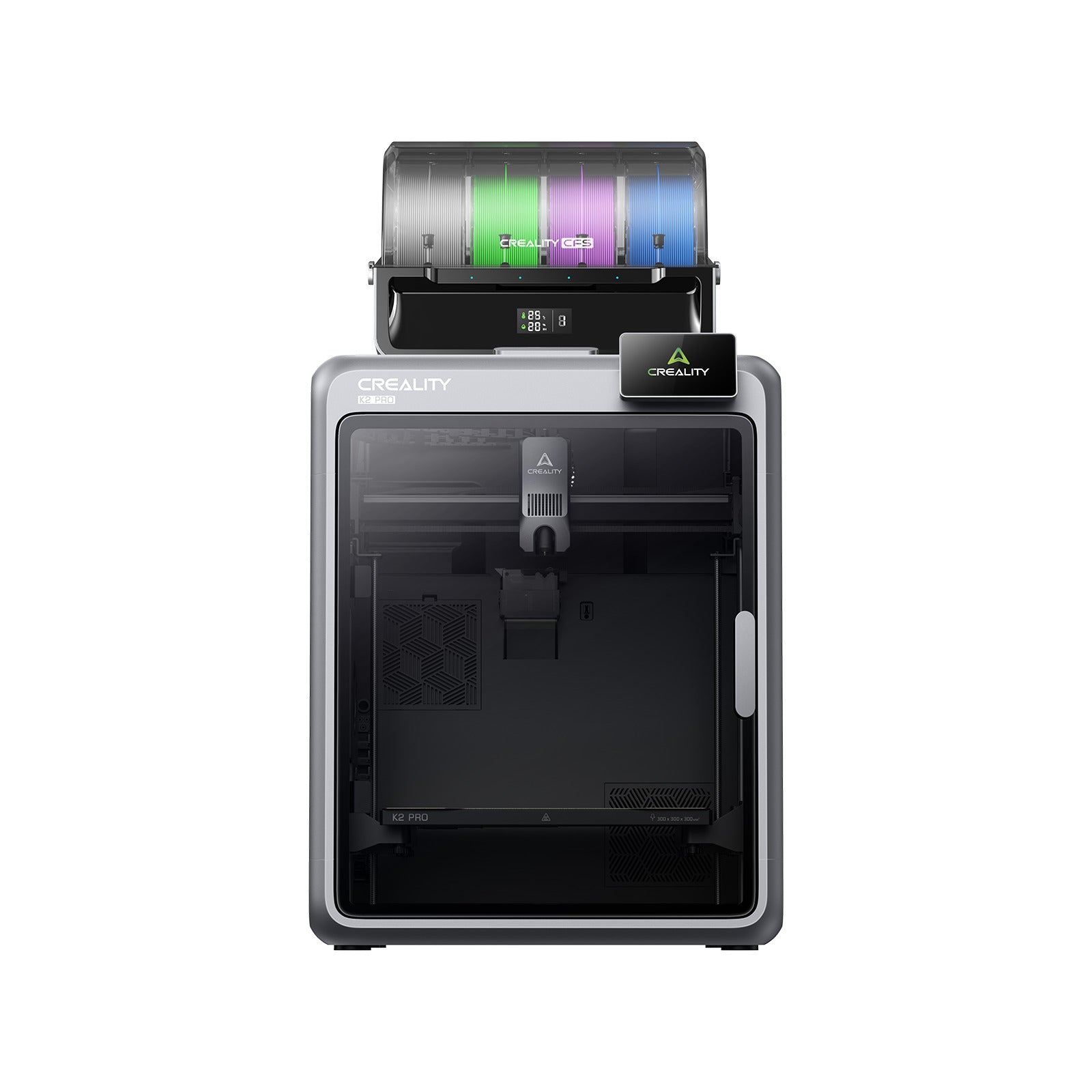
 Vendor:Creality
Creality K2 Pro Combo 3D Printer Black
- Regular price
- $731.00
- Sale price
- $731.00
- Regular price
-
$1,049.00
-
Creality SPARKX i7 Color Combo 3D Printer White

 Vendor:Creality
Creality SPARKX i7 Color Combo 3D Printer White
- Regular price
- $320.00
- Sale price
- $320.00
- Regular price
-
$399.00
-
Creality 3D Printer Resin Halot-X1 Combo 3D Printer White

 Vendor:Creality
Creality 3D Printer Resin Halot-X1 Combo 3D Printer White
- Regular price
- $459.00
- Sale price
- $459.00
- Regular price
-
$499.00


FAQ
1
What is the difference between the K2 Plus and K2 Pro?
Both are enclosed high-speed FDM printers in the Creality K2 series, but with key differences:
- K2 Pro — The more accessible entry point to the K2 series. Excellent print speeds, enclosed chamber, multi-color support via included CFS (Color Filament System). Ideal for makers stepping up from open-frame printers.
- K2 Plus — Larger build volume than the K2 Pro — 350×350×350mm vs 320×320×320mm. Better suited for larger prints, higher-volume production, and users who need maximum build space.
- Both include: CFS multi-color feeding system, enclosed chamber for engineering materials, high-speed CoreXY motion system, and automatic calibration.
- Which to choose: If print size matters most → K2 Plus. If you want the K2 experience at a lower entry price → K2 Pro.
2
What is the SPARKX i7 and who is it for?
The SPARKX i7 is Creality's accessible multi-color FDM printer, positioned below the K2 series:
- Multi-color printing: Supports multi-color printing with a simpler, more beginner-friendly setup compared to the K2 series.
- Price point: At $399, it's the most affordable entry into multi-color 3D printing in this collection — ideal for hobbyists, students, and makers who want color without enterprise-level investment.
- Open frame design: Unlike the K2 series, the SPARKX i7 is not fully enclosed — this makes it less suited for ABS and engineering materials but perfectly fine for PLA, PETG, and TPU.
- Best for: Multi-color decorative prints, miniatures, educational models, logos, and creative projects where color is the priority.
3
What is resin 3D printing and how is it different from FDM?
FDM and resin printing produce very different results and suit different use cases:
- FDM (K2 series, SPARKX): Melts plastic filament layer by layer. Faster for large objects, works with a wide range of materials, easier post-processing. Best for functional parts, prototypes, and larger models.
- Resin (Halot-X1): Cures liquid resin with UV light layer by layer. Produces dramatically finer detail and smoother surfaces. Best for miniatures, jewelry, dental models, and any application where surface quality is critical.
- Post-processing: Resin prints require washing in IPA and UV curing after printing — FDM prints typically just need support removal.
- Material costs: Resin is generally more expensive per kilogram than filament and requires more careful handling due to chemical sensitivity.
- Quick rule: Need detail and surface quality → Resin. Need speed, size, and material variety → FDM.
4
What materials can the K2 series print with?
The enclosed chamber of the K2 series significantly expands material compatibility compared to open-frame printers:
- Standard materials: PLA, PETG, TPU — all supported without any special setup.
- Engineering materials: ABS, ASA, PA (Nylon) — the enclosed chamber maintains the temperature stability required to prevent warping and delamination.
- Carbon-fiber composites: PET-CF, PA-CF — compatible with hardened steel nozzle (included or available separately). The enclosed environment is critical for consistent CF printing.
- High-temperature materials: PC (Polycarbonate) — supported on K2 series with appropriate hotend temperature settings.
- Not recommended: Flexible TPU at very low Shore hardness may require additional tuning with the CFS feeding system.
5
What is included in the "Combo" versions of Creality printers?
All four printers in this collection are listed as "Combo" versions — here's what that typically includes:
- K2 Pro Combo and K2 Plus Combo: Printer + CFS (Color Filament System) for multi-color printing + all necessary cables and accessories for immediate setup.
- Halot-X1 Combo: Resin printer + wash and cure station — the cure station is essential for resin post-processing and purchasing it separately would cost significantly more.
- SPARKX i7 Color Combo: Printer + multi-color feeding system included in the package.
- Value: Combo versions represent significantly better value than purchasing printer and accessories separately — everything needed to start printing is included in one box.
6
Can I get help choosing between Creality and Bambu Lab printers?
Absolutely — it's one of the most common questions we get, and the answer depends entirely on your priorities:
- Bambu Lab — Better out-of-box experience, tighter software integration, larger spare parts ecosystem, more established AMS multi-color system. Higher price per model.
- Creality K2 series — Comparable print quality and speed, larger build volumes at the same price point, more open ecosystem with wider third-party support. Slightly steeper learning curve.
- Creality SPARKX i7 — Best entry-level multi-color option if budget is the primary concern.
- Creality Halot-X1 — No Bambu Lab equivalent — if you need resin printing, Creality is the choice here.
- Our recommendation: Contact our team with your specific use case — we'll give you an honest comparison based on what you actually need to print.
- Choosing a selection results in a full page refresh.